
Operation
Construct Fish Attribute
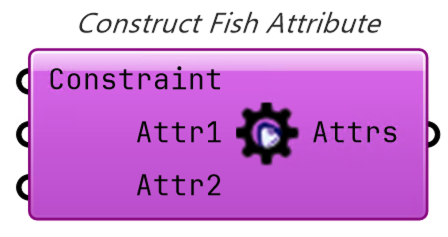
Construct Fish Attribute component allows you to specify attribute information
to be associated with an optimization trial. ZUI is supported, the input can be
any number of inputs, and the nickname of the input is stored as the name of the
attribute paired with the value.
Constraint is a special input. If all values input here are less than or equal
to zero, the trial is feasible. Use this input if you want to take constraint
conditions into account.
IsFail is also a special attribute name. If this input is set to True, the
trial will be considered a failure. If failure, it will not affect the
evaluation in any way.
Attribute names are converted to uppercase before they are compared, so IsFail
and ISFAIL are treated as the same attribute regardless of casing. The
documentation uses the IsFail spelling throughout.
Construct Fish Egg
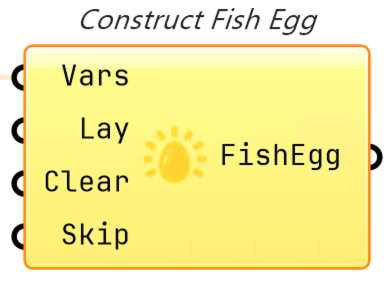
Construct Fish Egg component allows you to specify the combination of
variables to be executed first in the optimization.
Connect variables such as NumberSlider to Vars. If Lay is set to True, the
variable combination will be registered. If Clear is set to True, all
registered variable combinations will be deleted. If Skip is set to True,
duplicate combinations will be skipped.
Construct Fish Egg by CSV
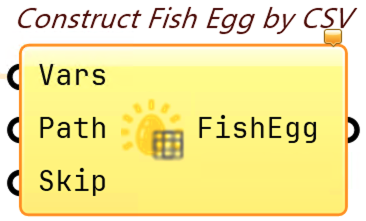
Construct Fish Egg by CSV component enables Construct Fish Egg input via CSV.
Connect the path to the CSV file to Path.
For example, if you want to specify in CSV the combination of the values of two NumberSliders with the nicknames X1 and X2, you can do so as follows
| X1 | X2 |
|---|---|
| 1 | 2 |
In this case, the combination of variables where X1 is 1 and X2 is 2 will be executed first.
Deconstruct Fish
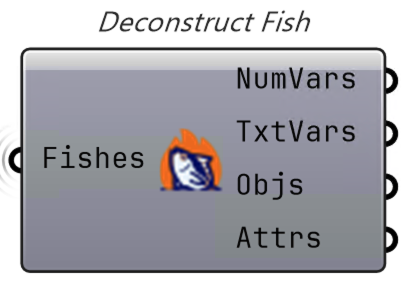
Deconstruct Fish component allows you to deconstruct Fish, the result of
Tunny's optimization.
By deconstructing, variables, objective functions, and attributes can be obtained in a data tree.
Deconstruct Fish Attribute
Deconstruct Fish Attribute component can be used to deconstruct an attribute.
Convert Result to Tunny Log
New in v1.5.0. Convert Result to Tunny Log component converts optimization
results produced by other plugins into a Tunny log file (.log) that can be
read by Tunny's post-process tools, such as Optuna-Dashboard.
Connect variable values to Variables and objective values to Objectives.
Both are data trees where each branch represents one individual, and branch i
of Variables must correspond to branch i of Objectives. All variables are
written as FloatDistribution, so categorical variables are not supported.
Variable Definitions is optional. Connect the Tunny variables (number sliders
or gene pools) that define the search space to supply variable names and bounds.
If it is left unconnected, names and bounds are inferred automatically from the
data.
Directions and Objective Names are also optional, letting you specify each
objective's optimization direction (minimize or maximize, default all
minimize) and name (default Objective0, Objective1, ...).
Set File Path to the output .log file location; the file is overwritten on
each run. Study Name sets the study name written to the log (default study).
Set Run to True to write the file.
The Info output reports the result of the conversion, and Path outputs the
path of the written log file.